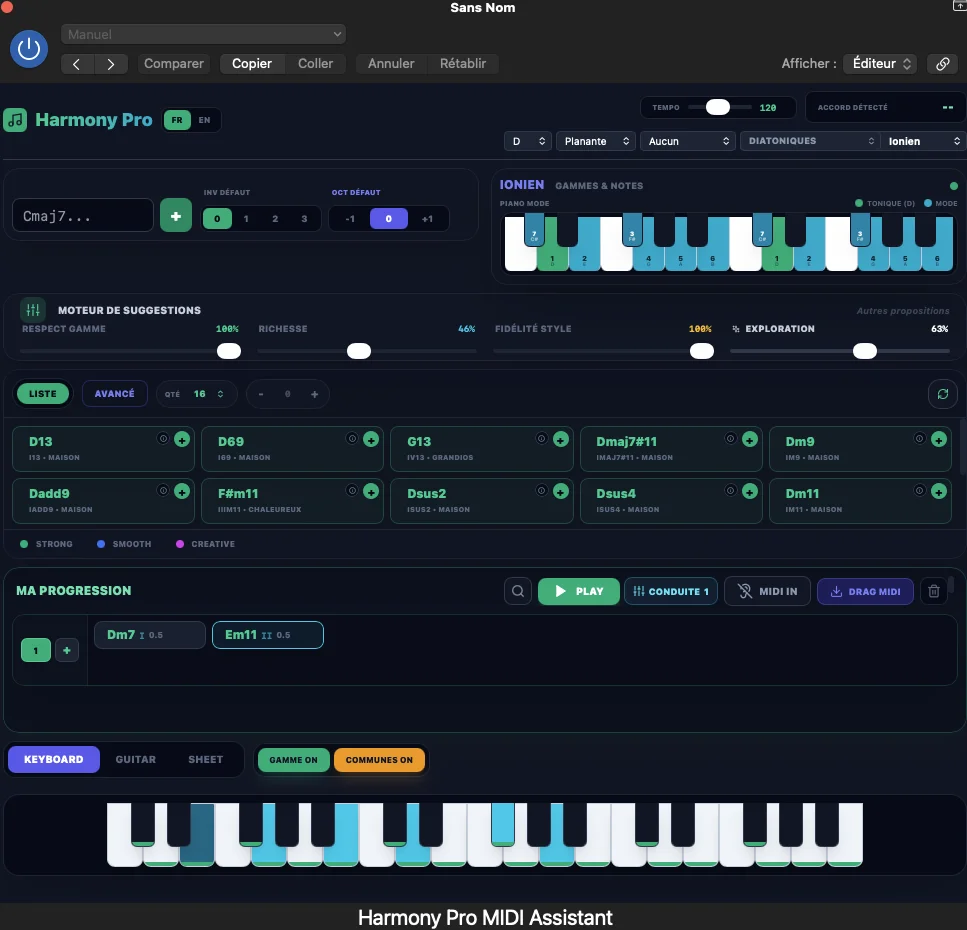
Harmony Pro
Key Features
- Suggests context-aware chords that can continue, enrich, or redirect an in-progress progression
- Lets you shape exploration with musical directions and style-oriented suggestion profiles
- Provides voicing options and common-note context for comparing how chord changes connect
- Uses visual harmonic views, including the Circle of Fifths, to reveal relationships at a glance
- Keeps the composer in control: suggestions are explored and selected manually rather than auto-arranged
- Includes a dedicated Ableton Live VST3 variant within the Windows installer
Description
Harmony Pro is a MIDI harmony assistant from Harmony Lab Audio for exploring chord progressions, voicings, and alternative musical directions inside a DAW. It presents suggestions from the current harmonic context, then leaves the composer to audition, compare, and choose the next move rather than generating a finished song automatically.
Start from a chord, a few notes, or an in-progress progression and use the available musical directions to look for a smoother connection, more tension, a different color, or a less expected turn. The tool also provides views for harmonic relationships, including the Circle of Fifths, plus controls for voicings and common notes.
The workflow is best treated as a sketching and learning space: explore a suggestion, listen to the result, and keep only the ideas that serve the track. Because the engine is not generative AI, Harmony Pro focuses on interactive harmonic options instead of replacing musical judgment.
Harmony Pro 1.0.0 is available as VST3 for Windows and as AU and VST3 for macOS. The official download page lists a single Windows installer and a macOS package, while the Windows installer includes a dedicated Ableton Live VST3 variant.
Its interface exposes substantial harmonic information at once, so it will suit producers and composers who want to investigate why an option works as well as hear it. Use it alongside a MIDI-capable instrument track when you want to move past familiar chord habits without surrendering control of the progression.
Frequently Asked Questions
What does Harmony Pro do?
Harmony Pro is a MIDI harmony assistant for trying chord progressions and related harmonic options. It analyzes the current context and presents directions, chord suggestions, voicing choices, and visual relationship views for the user to audition.
Does Harmony Pro write a complete progression automatically?
No. Harmony Lab Audio describes it as a harmonic exploration tool, not a generative-AI songwriting system. It supplies possibilities, while the user listens, compares, and decides which ideas belong in the progression.
What plugin formats does Harmony Pro support?
The official download information lists VST3 for Windows and AU plus VST3 for macOS. The Windows package also contains a VST3 build intended specifically for Ableton Live.
Can Harmony Pro help with voicings as well as chord choices?
Yes. Its exploration tools include voicings, common notes, tension and resolution context, and visual harmonic relationships. These let you compare not just which chord to try, but how that chord connects to the current idea.