
Wider 2.0
Key Features
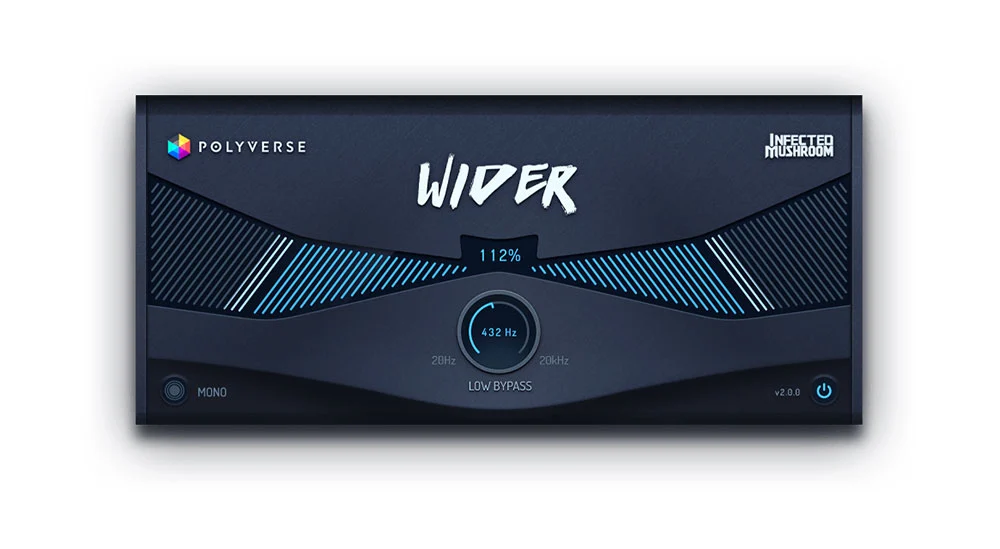
- Mono-to-stereo expansion up to 200%
- Phase-conscious mono-compatible widening
- Low-frequency bypass for keeping the bottom end centered
- Mono button for checking the summed result
- Power button for quick bypass comparisons
- Round or linear control behavior for the low-bypass knob
Description
Wider 2.0 is Polyverse Music's mono-compatible stereo widener for turning mono tracks into broader stereo images. Its specialized all-pass and comb-filter design creates a pseudo-stereo effect that remains phase-aligned when the result is summed back to mono.
The Width control reaches full stereo at 100% and can be pushed to 200% for an exaggerated, larger-than-life image. Wider also works on stereo material when its two sides are relatively similar, giving the single main control a place on sources beyond a strictly mono input.
Use the low-frequency bypass to keep the bottom end out of the widening effect while higher frequencies spread across the stereo field. The built-in Mono button lets you check the result in mono during setup, and the Power button provides a quick bypass for comparing the processed signal with the source.
Wider suits claps, snares, guitars, pianos, synths, pads, and backing vocals that need extra space without relying on a conventional chorus or Haas delay. Keep the amount restrained on dense material and use the mono check before printing an especially wide sound.
Video Preview

Frequently Asked Questions
Can Wider 2.0 process a stereo track?
Yes. The manual describes Wider primarily as a mono-to-stereo effect, but says it can also be used on stereo material when the two sides are relatively similar.
What does 100% mean on the Width control?
The manual identifies 100% as full stereo. The control can continue to 200% for a more exaggerated, larger-than-life stereo image.
How can I keep the low end from spreading?
Set the low-frequency bypass control so frequencies below the chosen point are excluded from the widening effect. This leaves the higher-frequency material available for stereo expansion while the bottom end stays centered.
How do I check mono compatibility?
Press Wider's Mono button to hear the output summed to mono, then disable the button to return to the widened signal. The plugin is designed to cancel its added stereo information in mono so the original mono signal remains intact.


