
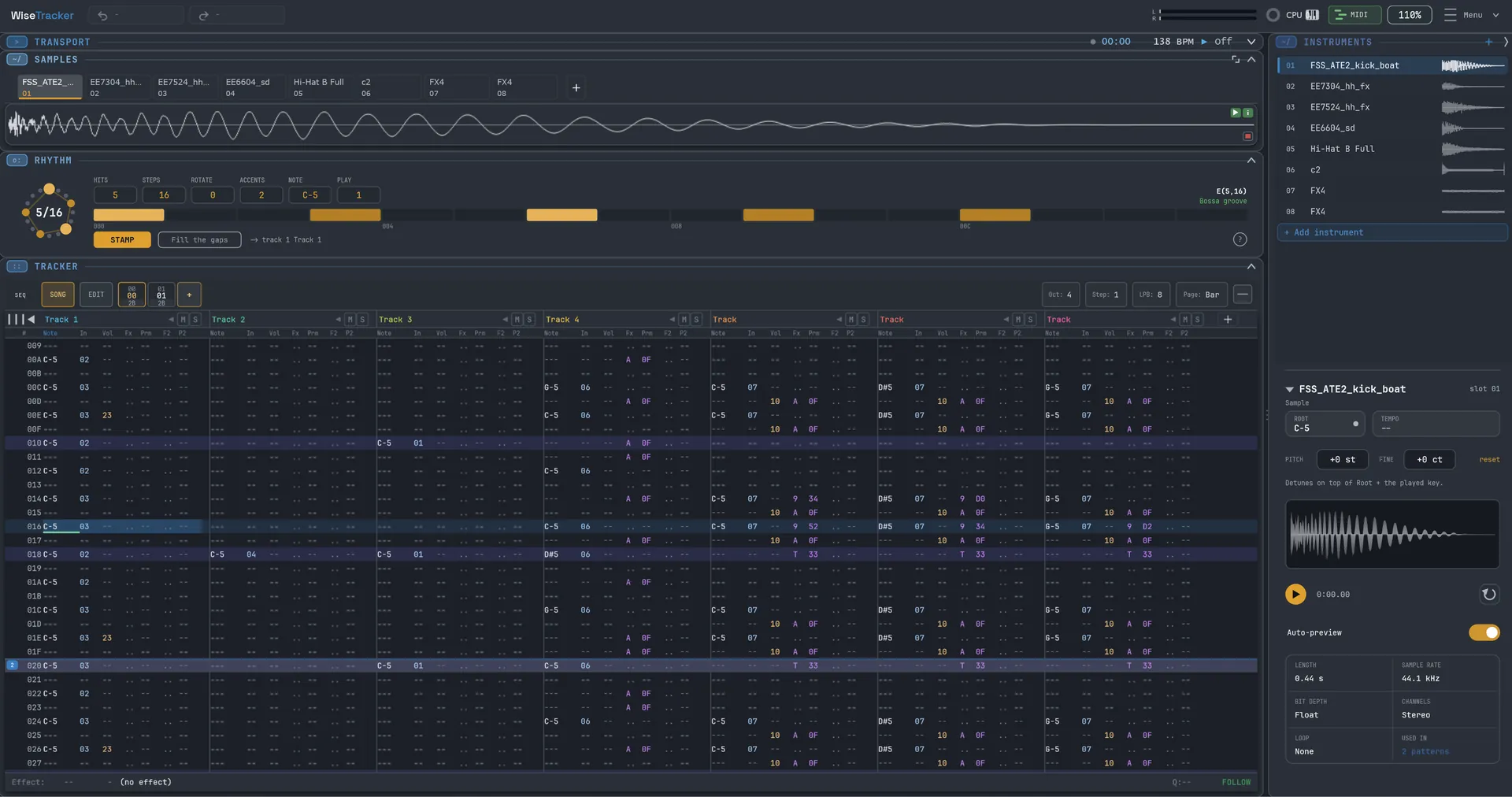
WiseTracker
Key Features
- Tracker-style pattern editor for keyboard-driven note and effect-command entry.
- Runs as the WiseTrax VST3 instrument inside a DAW or as the WiseTracker standalone Windows app.
- Sampler workflow with drag-and-drop audio import, transient slicing, waveform editing, and loop-tempo estimation.
- Multisample keyzones let kits and layered instruments be mapped across a visual keyboard.
- Euclidean rhythm generator can create beats, accents, rotations, and scale-walk melodies before stamping them into the grid.
- Songs save as portable .wise files that can move between the plugin and standalone versions.
- Current beta supports up to 64 tracks, 256 instruments, 128-voice polyphony, and 200 undo levels.
Description
WiseTracker is a Windows tracker, sampler, and groove-box that runs either as the WiseTrax VST3 instrument inside a DAW or as the standalone WiseTracker desktop app. It uses the classic FastTracker 2 and Renoise-style grid workflow, where notes and effect commands are typed into patterns for fast sample-based sequencing.
The public beta is built around a compact all-in-one tracker workflow rather than a conventional piano-roll instrument. You can build multisample instruments, map sounds across keyzones, slice imported audio by transients, stamp Euclidean rhythm patterns into the grid, and chain patterns into full songs.
The same song format works in both versions, so sketches can move between the standalone app and the DAW plugin without changing the project structure. WiseTracker currently targets Windows only, with the official page saying Mac may come later but has no date.
The official page lists v0.2.2 as the current public beta and provides a direct ZIP containing WiseTrax.vst3, WiseTracker.exe, README.txt, and CHANGELOG.txt. The page says it is free while in public beta and will move to the PolyForm Shield License at v1.0 full release, also free, with no countdown, coupon, or paid checkout found during review.
Frequently Asked Questions
What is the difference between WiseTrax and WiseTracker?
WiseTrax is the VST3 instrument version that runs inside a DAW and follows host tempo and transport. WiseTracker is the standalone Windows app with its own transport, tempo, and audio device selection.
Can projects move between the plugin and standalone app?
Yes. The official FAQ says a song saves as a single .wise file with patterns, samples, kit, and settings, and both WiseTrax and WiseTracker can read and write that format.
Does it include sampling tools or only tracker sequencing?
It includes sampler features as part of the tracker workflow. The official page lists drag-and-drop WAV, AIFF, FLAC, and OGG import, transient slicing, keyzones, sample tuning, and instruments saved as .wiseinst files.
Is there a Mac version?
No. The official FAQ says WiseTracker is Windows-only for now, with a Mac build possible later but no date.


