Key Features
- Shape correction from hard note snapping to a more natural sound with one dial
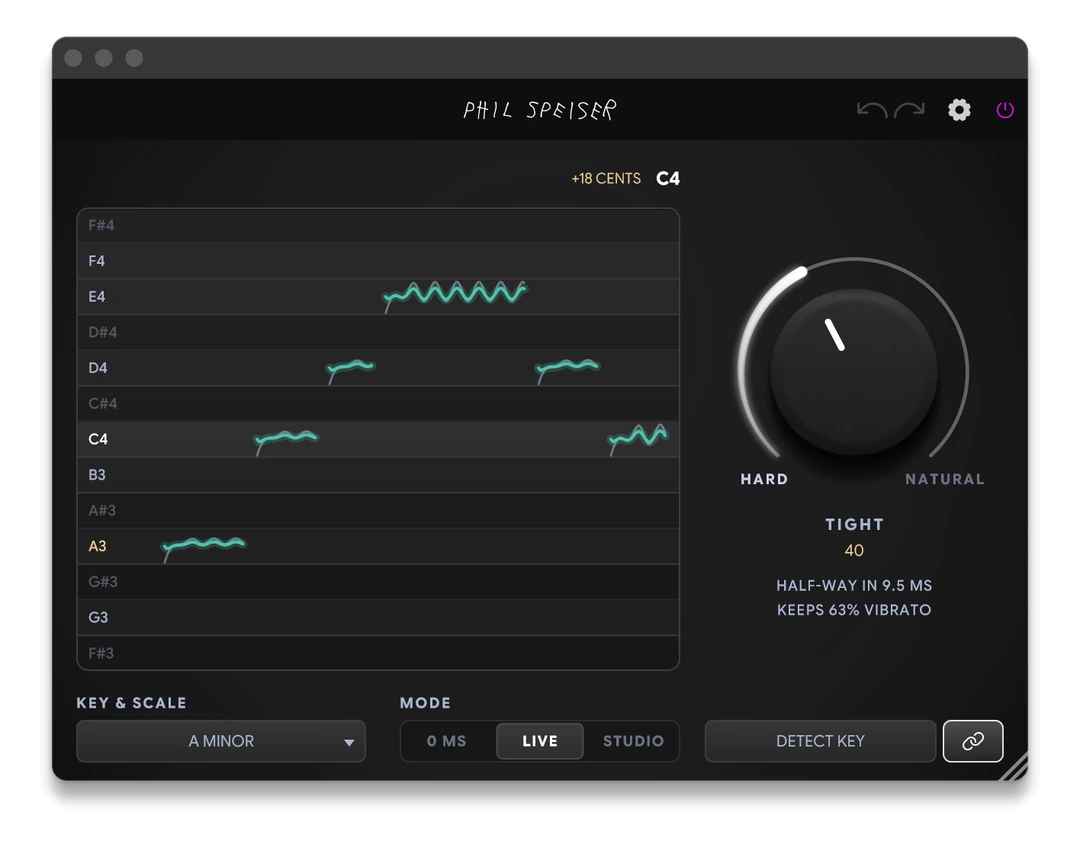
- See incoming and corrected pitches in a scrolling note lane
- Choose a key and scale or apply a detected key suggestion
- Select 0 MS, LIVE or lookahead STUDIO mode for different workflows
- Share key and scale settings across linked plugin instances
- Automate correction amount and direct individual notes with LEAN and NOTE
Description
THE_PITCH 2 MINI is a pitch correction plugin by Phil Speiser for vocals and other single-note recordings. It pulls incoming notes toward a chosen key and scale, with a single control for anything from obvious hard tuning to a gentler result.
The HARD–NATURAL dial adjusts how quickly notes settle and how much movement remains in the performance. At the hard end notes snap into place, while softer settings retain more slides and vibrato; the display shows the original and corrected pitch on a scrolling note lane.
Choose a key and scale manually or play the vocal through DETECT KEY to receive a suggestion before applying it. LINK shares key and scale settings with other MINI instances and THE_INSTRUMENT 3 on the same computer, which can help keep a session consistent.
For recording, choose 0 MS or the 2 ms LIVE mode; STUDIO uses 50 ms of lookahead for mixing. Automation provides control over retuning, correction amount and individual note choices, so you can steer a difficult phrase or leave a section untreated.
The plugin handles one melodic line at a time rather than chords. It runs on Windows and macOS in VST3 and AAX, with AU also available on Mac; obtaining it involves a zero-cost checkout and an account sign-in.
Frequently Asked Questions
Can it correct chords or layered vocals?
It tracks one melodic line at a time. Use it on individual vocal or solo instrument tracks rather than chords.
How can I find the song key?
Play the vocal through DETECT KEY to get a suggested key. The plugin does not change its setting until you apply the suggestion.
Which mode should I use while recording?
The developer recommends LIVE or 0 MS for monitoring while recording. STUDIO uses 50 ms of lookahead and is intended for mixing.
Do I need an account?
Yes. Add the plugin to your cart and complete the zero-cost checkout, then download it from your account and sign in when using it.