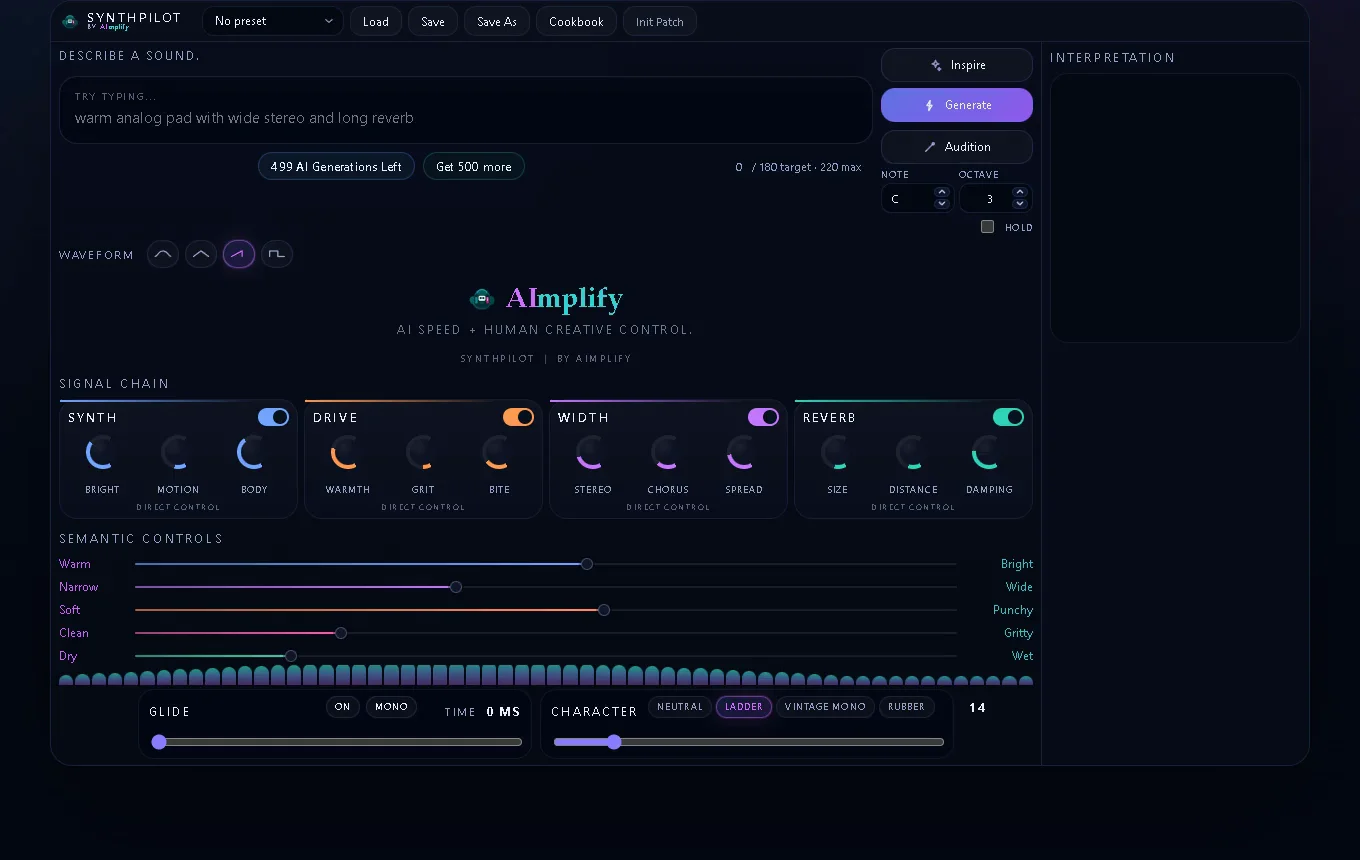
SynthPilot
Key Features
- Plain-English prompt-to-patch workflow helps you reach a usable bass, pluck, or lead starting point faster when you already hear the target sound in your head
- Free core synth stays usable on its own, so the desktop instrument is not locked behind the optional paid AI layer
- Single install covers the standalone app plus SynthPilot and SynthPilotFX VST3 surfaces, keeping desktop sketching and DAW use in one workflow
- Prompt interpretation stage turns descriptive language into a more concrete tonal direction before you start shaping the patch by ear
- Saved states let you keep the sounds worth revisiting instead of treating generated starting points as disposable one-offs
- Desktop-first focus keeps the main instrument centered on Windows production sessions while the mobile web sibling stays a secondary companion
Description
SynthPilot is a Windows-only synth from AImplify built around a simple promise: describe the sound, shape the result, keep the taste. The free desktop release gives you both a standalone app and a VST3 instrument, so it works as a quick sketchpad away from the DAW or as a fast sound source inside a session.
What makes it different is the optional AI Generation layer. Instead of always starting from raw synth settings, you can describe a target such as a rubbery mono bass or glassy pluck, let SynthPilot generate a close starting point, and then keep refining the patch by ear inside the instrument.
That workflow should land best with producers who already know the character they want but do not want to spend the first part of every writing session building it from zero. AImplify is careful about that framing throughout the site: AI is there to get you close faster, not to make the final sound decisions for you.
The core app remains usable without paying for AI Generation, which is why this reads as a genuine free product rather than a locked demo. The current v1 download is a single Windows installer that includes the standalone app plus the SynthPilot and SynthPilotFX VST3 plugins, while the paid layer is a separate add-on for users who want 500 prompt-to-synth generations each month.
Frequently Asked Questions
Is SynthPilot usable without paying for AI Generation?
Yes. AImplify repeatedly frames SynthPilot as a free desktop synth first, with AI Generation sold separately only when you want faster starts. The free app remains the main product rather than a time-limited demo.
What does the current Windows installer include?
The official download page says the v1 installer sets up the standalone desktop app plus the SynthPilot and SynthPilotFX VST3 plugins together. You are not downloading separate standalone and plugin packages.
Does SynthPilot work on macOS or only on Windows?
The live desktop release is Windows-only right now. AImplify also has SynthPilot Mobile on the web, but the official site is clear that the main instrument workflow is the Windows desktop app.
What does the paid AI layer actually add?
The optional AI Generation add-on is there to get you closer to a target patch faster from plain-English descriptions. The current pricing page says it includes 500 prompt-to-synth generations per month, but AImplify still expects you to make the final sound decisions by ear inside the instrument.
Who is SynthPilot most likely to suit?
It makes the most sense for producers who can describe the tone they want but do not enjoy starting every patch from a blank slate. If you prefer to hear a useful first draft quickly and then shape the details yourself, that is exactly how AImplify positions it.