
Skew
Key Features
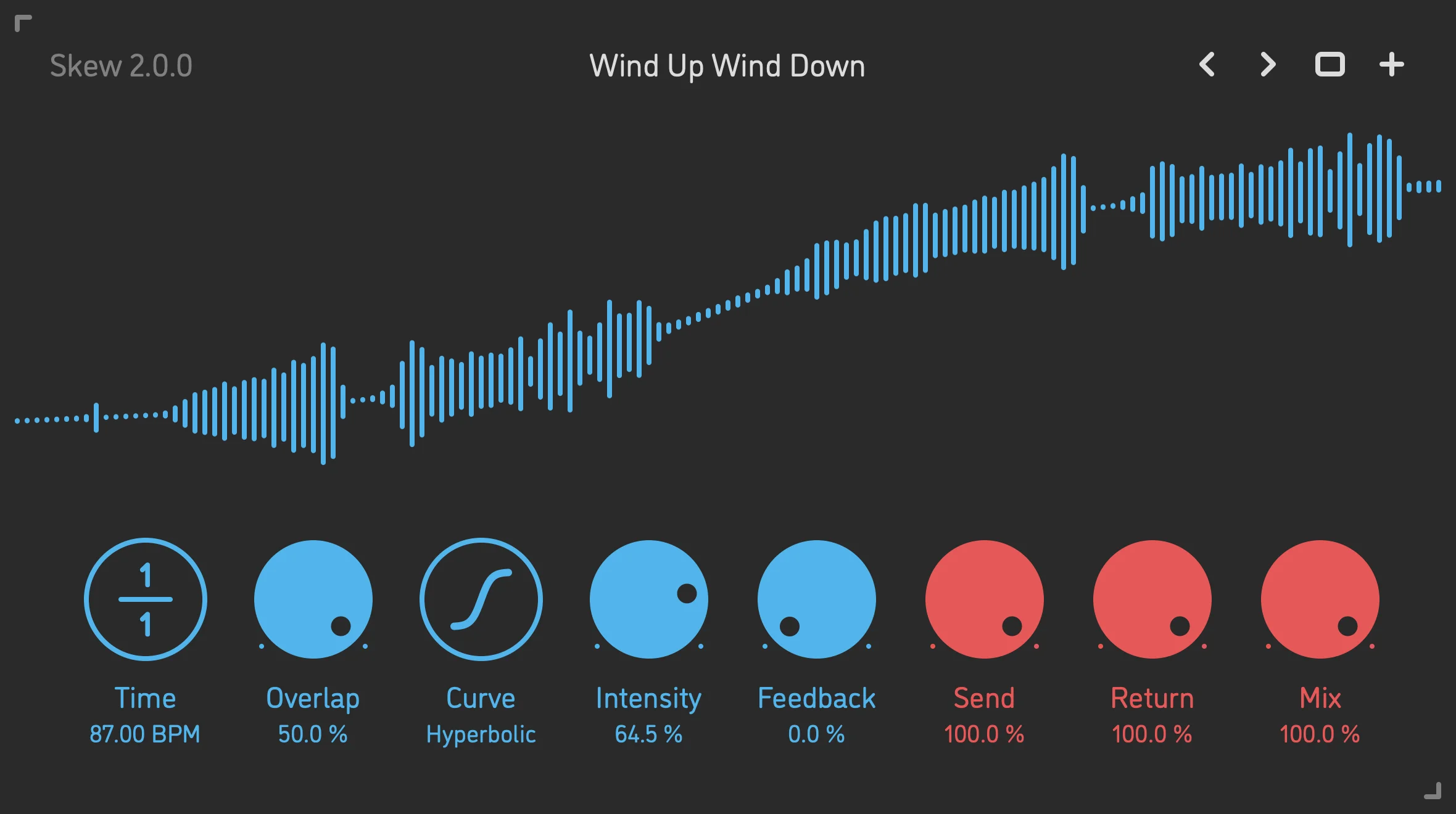
- The triple-playhead design separates overdubbing feedback from the two playback heads, which helps pitch-bent repeats stay more consistent across feedback cycles than on a basic reverse delay.
- Twelve non-linear playback curves let the reversed chunks move from subtle detune and vibrato into tape-rewind dives, scratches, and more aggressively warped pitch motion.
- Tempo-based timing spans from 1/32 note to 16 bars, so the plugin can handle tiny rhythmic flips, full-bar transitions, and longer build effects without manual sample editing.
- Overlap, Intensity, Feedback, Send, Return, and Mix controls give you enough range to shape smoother transitional swells or deliberately broken glitch tails from the same core engine.
- Lag filters on all continuous parameters keep automation and live tweaking smoother and less click-prone when you are sweeping time, curve intensity, or mix values in motion.
- Current platform support covers AU, VST3, and AAX on macOS, VST3 and AAX on Windows, and VST3 on Linux, making it usable across most modern desktop production setups.
Description
Skew is Sinevibes' non-linear reverse delay plugin for macOS, Windows, and Linux, built to turn incoming audio into tempo-locked reversed chunks instead of conventional forward echoes. The current v2 release keeps the concept focused, but the official page makes clear that the real draw is how precisely it can bend those repeats into tape-rewind slides, detuned swells, vibrato, and scratchy pitch motion.
That flexibility comes from the playback engine rather than from piling on extra effects modules. Twelve non-linear curves, a triple-playhead architecture, and delay times stretching from 1/32 note to 16 bars let Skew move from subtle rhythmic reversals to long transition effects without drifting away from the host transport.
Outside coverage highlights the same balance between weirdness and control. The interface stays readable, the color coding separates reverse-delay and I/O sections cleanly, and the overlap, intensity, feedback, send, return, and mix controls make it practical to dial in smooth risers or harsher glitch phrases instead of treating the plugin like a one-preset novelty.
As checked on April 28, 2026, Skew still clears SSA's permanent-free bar. The official Sinevibes page still labels it Free Download, the product remains listed in the current desktop lineup with no expiry or coupon language, and the live download flow still routes through an email-collection Paddle checkout rather than a limited-time giveaway page.
Frequently Asked Questions
What makes Skew different from a normal reverse delay?
Skew is built around non-linear reverse playback rather than simple backward repeats. Its triple-playhead design and twelve warping curves let the reversed chunks bend in pitch and timing, so the effect can move from clean reversing into tape-rewind, detuned, and scratch-like motion.
Can Skew do smooth transitions as well as harsher glitch effects?
Yes. The official controls include Overlap, Intensity, Feedback, Send, Return, and Mix, which gives you room to soften the edges for smoother risers or push the engine into more obviously shredded and rhythmic glitch territory. The wide timing range also helps it cover both tiny accents and long transition builds.
Which formats and systems are currently supported?
Sinevibes currently lists AU, VST3, and AAX for macOS 10.13 or newer, VST3 and AAX for Windows 8.1 or newer, and VST3 for Linux 2020 or newer. All listed builds are 64-bit, with Apple Silicon and Intel support on macOS and Intel/AMD support on Windows and Linux.
Is Skew still permanently free right now?
As checked on April 28, 2026, yes. The official product page still labels Skew as a Free Download, the current Sinevibes desktop lineup still includes it with no coupon or expiry wording, and there is no limited-time language on the live product page.
Do I need to enter an email to download Skew?
Yes. The official product page explicitly says the Free Download requires your email address, and the button currently hands off to a Paddle checkout flow. That is why SSA should keep the download external instead of trying to mirror a stable public installer URL.


