Scintillate
Key Features
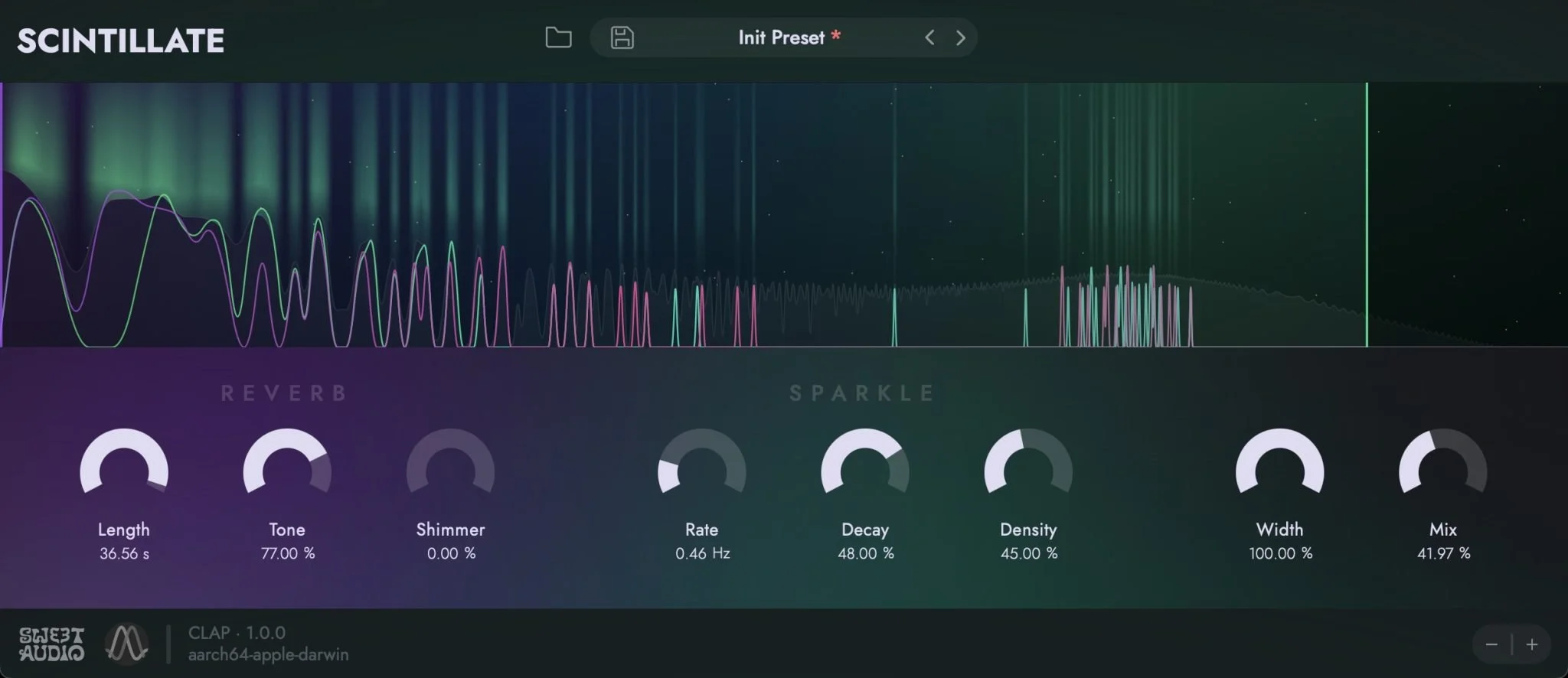
- Spectral sparkle engine generates moving harmonic particles inside a reverb tail
- Spawn and decay controls shape how often sparkles appear and how long they hang in the space
- Density control moves from continuous shimmer clouds to sparse spectral-gate accents
- Designed for creative ambience, reverse-like motion, pads, vocals, guitars, and cinematic effects
- Native CLAP implementation with VST3 and AU compatibility through clap-wrapper
- Version 1.0.1 adds mouse-wheel knob support, smoother knob sensitivity, Intel Mac support, and Windows display-scaling fixes
Description
Scintillate by Sweet Audio is a creative spectral reverb effect built around a sparkle engine rather than a straight room, hall, or plate model. It starts from a conventional reverb tail, then generates animated harmonic particles inside the spectrum so pads, vocals, guitars, and keys can bloom into moving, glittering spaces.
The main controls focus on how those sparkles appear, build, and decay. Higher spawn and density settings push the effect toward thick ambient clouds, while lower density lets only the strongest spectral components through for gated accents and reverse-like motion.
That makes Scintillate more useful as a character reverb than a realistic space simulator. It suits ambient production, cinematic transitions, shoegaze guitar layers, dream-pop vocals, and experimental sound design where the reverb tail is meant to become part of the arrangement.
The plugin is written natively for CLAP and wrapped for VST3 and AU, with Signalsmith Audio handling the DSP and Sweet Audio handling the plugin framework and interface. Early user feedback points to the unusual sound, simple visual workflow, and version 1.0.1 fixes for Windows display scaling and macOS Intel support.
Video Preview

Frequently Asked Questions
Is Scintillate a realistic room reverb?
No. Scintillate is designed as a creative spectral reverb, so it is better for shimmer, animated ambience, gated spectral accents, and surreal tails than for natural room simulation.
What does the density control do?
Density changes how much of the generated sparkle material survives inside the reverb spectrum. Higher settings create thicker continuous clouds, while lower settings keep only stronger components and can produce spectral-gate-style accents.
Why use the CLAP version if my DAW supports it?
Sweet Audio recommends CLAP where available because Scintillate is written natively in that format. The developer notes that CLAP can provide better parameter modulation support and deeper host undo/redo integration.
What changed in version 1.0.1?
The 1.0.1 update adds mouse-wheel knob control, smoother knob dragging, an automatable Wet Gain parameter, Intel Mac support, and several host-specific fixes. It also addresses Windows display scaling issues and a Bitwig UI duplication bug.