Q BIT
Key Features
- Choose from four bitcrusher models inspired by linear reduction and vintage digital hardware
- Freeze the ends of audio slices for pulsing or stuttering effects
- Synchronize holds to the host tempo or set an independent capture rate
- Adjust Segment to balance the original slice against its held portion
- Blend processed and dry audio and drive the crusher with input gain
- Compare settings with A/B slots and use Match for level-aware auditioning
Description
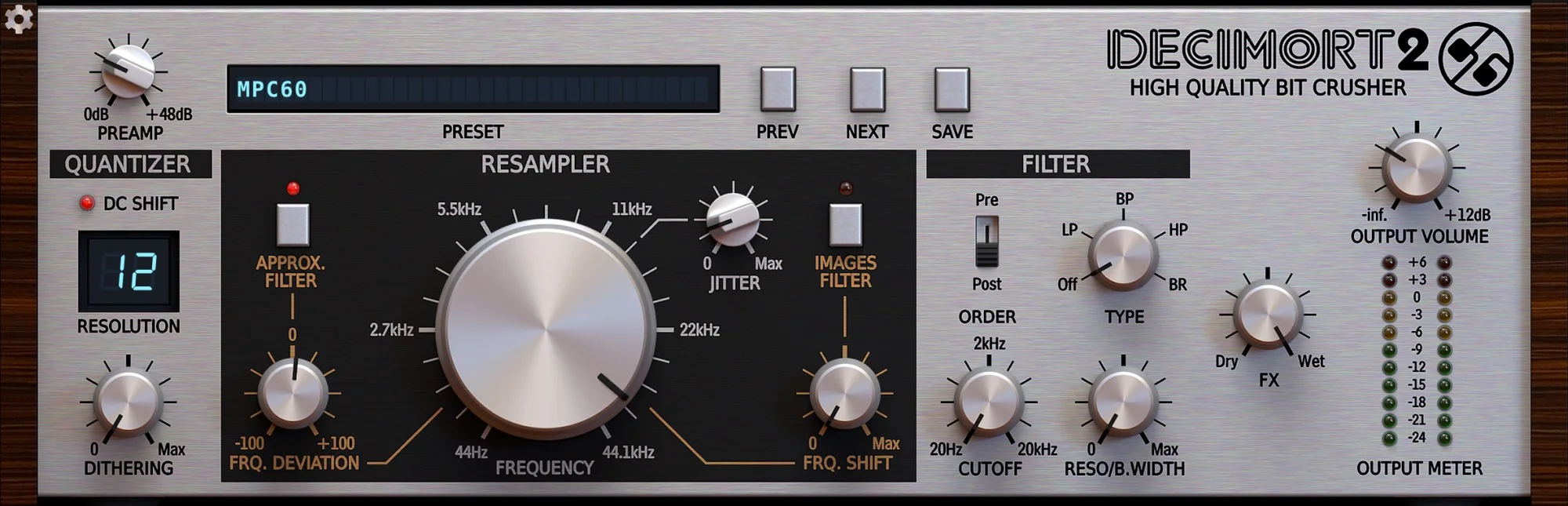
Q BIT by Pulsar Modular is a bitcrusher with a time hold effect for turning clean audio into retro digital textures and rhythmic pulses. Its four models range from adjustable bit and sample-rate reduction to characters inspired by vintage samplers, digital delay and home-computer sound chips.
The Hold section plays a portion of each captured slice, then sustains its end until the next capture. Sync follows the host tempo with straight, dotted or triplet divisions, while Free mode sets an independent capture rate; Hold can also be switched off.
Segment adjusts how much of the original slice plays before the hold takes over. On drums, the green arc in Sync mode helps identify settings that preserve detected hits, while sustained sounds can take on a pulsing or stuttering character.
Linear mode offers independent bit-depth and sample-rate controls; the other models provide their own character and settings. Input, output and mix controls let you drive the effect and blend it with the original signal, and Match helps compare the processed sound at bypass loudness.
A preset browser and A/B slots make it easier to try and compare settings. Desktop users need to place a free order and activate the emailed license key, which covers up to two computers; the developer also offers an iOS version.
Frequently Asked Questions
How does Hold change the sound?
Hold plays part of each captured slice and sustains its end until the next capture. Depending on the source and timing, it can create pulses on sustained sounds or rhythmic held tones on drums.
Can I use the crusher without the rhythmic hold?
Yes. Switch Hold off to use the selected crusher model without the time hold effect.
How do I activate the desktop plugin?
Place a free order with Pulsar Modular to receive a license key by email, then activate it in the plugin. The key covers up to two computers, and the license periodically renews online.
What does the green arc around Segment indicate?
In Sync mode, it shows the Segment settings that preserve detected hits from the last few bars. Moving within that range can help retain drum hits while increasing the rhythmic effect.