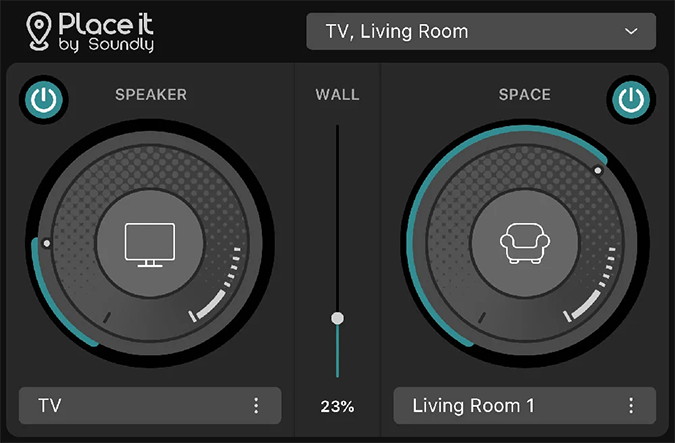
Place it
Key Features
- Emulates the sound of a chosen speaker.
- Places audio in 40 different environments.
- Uses true-stereo convolution impulse responses.
- Extends the Place it feature from Soundly Voice Designer to other DAWs and editing suites.
- Designed for sound-design and post-production workflows.
Description
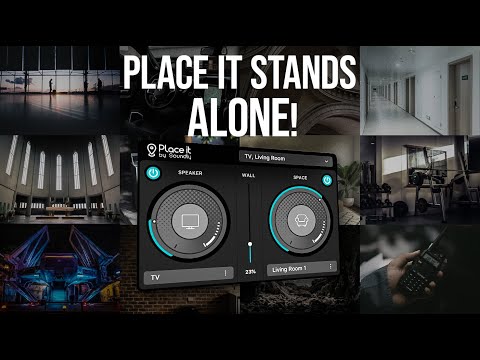
Place it is Soundly's free convolution plugin for emulating a speaker and placing audio in one of 40 environments. It uses true-stereo convolution impulse responses to model playback and spaces, extending the Place it feature from Soundly Voice Designer to other DAWs and editing suites.
Use it to move dialogue, music, or sound effects from a direct signal into a chosen listening environment. Its environment library is based on recordings made for the project.
Video Preview
Frequently Asked Questions
What does Place it emulate?
Place it emulates a chosen speaker and can place the signal in one of 40 environments. This combines playback-device character with environmental perspective.
How does Place it create the spaces?
The plugin uses true-stereo convolution impulse responses based on recorded environments. This lets the signal take on the character of the selected space.
Can I use Place it outside Soundly Voice Designer?
Yes. Place it works in DAWs and editing suites outside Soundly Voice Designer.