
Mono

Key Features
- One-click true-mono monitoring routes a summed mix to either the left or right speaker.
- A conventional centre option provides familiar phantom-mono checking alongside the single-speaker modes.
- A -6 dB gain adjustment is applied to the mono states to keep level changes under control while auditioning.
- A dedicated bypass state makes it quick to return to the unprocessed stereo mix.
- The intentionally minimal interface has no saved parameter state, keeping a resumed session ready for a fresh check.
- Runs as AU, VST3, or AAX on supported macOS and Windows systems.
Description
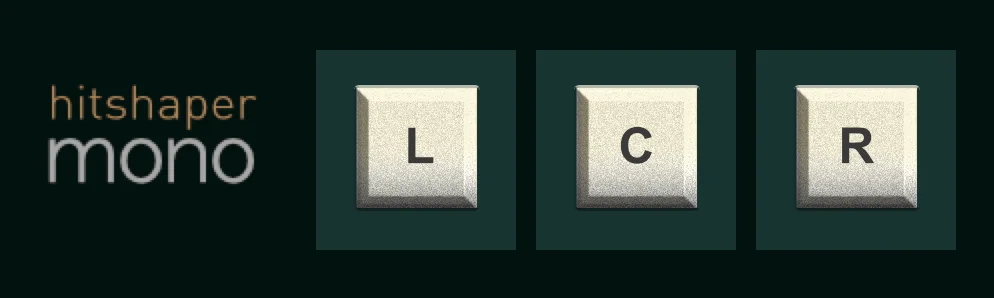
Mono is a HitShaper monitoring utility that sums a stereo mix and lets you send the result to the left speaker, both speakers, or the right speaker. It is designed for true mono checking from one loudspeaker, so a producer can make balance and panning decisions without relying only on a phantom centre image between two monitors.
The three-button interface keeps the task deliberately direct: bypass leaves the signal alone, the centre option creates conventional phantom mono, and the left or right choices mute the opposite channel after the mono sum. The developer applies a -6 dB gain adjustment to the mono states, which avoids an unintended level jump while checking the mix.
Place it at the end of a stereo mix bus when checking vocal level, panning, stereo effects, or any decision that needs to survive mono playback. The developer recommends returning to the check regularly after important balance, spread, or panning changes rather than treating it as a final-only test.
The purpose is monitoring rather than corrective audio processing: Mono does not provide a spectrum display, phase meter, or adjustable crossover. That focused approach makes it useful alongside a DAW's existing meters or a more detailed analysis plug-in when you need a fast single-speaker reality check.
Mono is available as AU, VST3, and AAX for supported Windows and macOS hosts. HitShaper keeps the product permanently available at no cost, with a one-time registration form that emails the download link and an optional donation prompt.
Frequently Asked Questions
What is true mono monitoring in Mono?
Mono sums the left and right channels, then can send that result to only the left or only the right speaker. This differs from conventional phantom mono, which plays the same mono signal from both speakers and forms an apparent centre image between them.
Where should I place Mono in a DAW project?
HitShaper recommends inserting it last on a stereo mix bus. That placement lets you check the completed stereo signal after panning, balance, and stereo-processing decisions.
Why does Mono use a -6 dB adjustment in its mono modes?
The documentation states that its mono states apply a -6 dB gain adjustment. This is intended to prevent the summed signal from sounding louder simply because the channels have been combined.
Does Mono fix phase or stereo problems in a mix?
No. It is a monitoring utility for hearing a mono sum and comparing left, centre, and right playback choices. Use the result to identify balance or compatibility concerns, then make corrections with the appropriate mix tools.


