
Loudness

Key Features
- Combines a dedicated gain fader with LUFS, RMS, Peak, and True Peak metering.
- Uses separate upward and downward glide times to smooth level automation.
- Provides Momentary, Short, and Long Term meter windows for immediate and accumulated level context.
- Applies a selected loudness target by moving the fader to the required position.
- Apply Balance adjusts left and right fine trims for tightly matched stereo balance.
- Offers clickless mute, solo, polarity, and mono-sum monitoring controls in the advanced panel.
- Runs with 64-bit processing in AU, VST, VST3, and AAX hosts across macOS and Windows.
Description
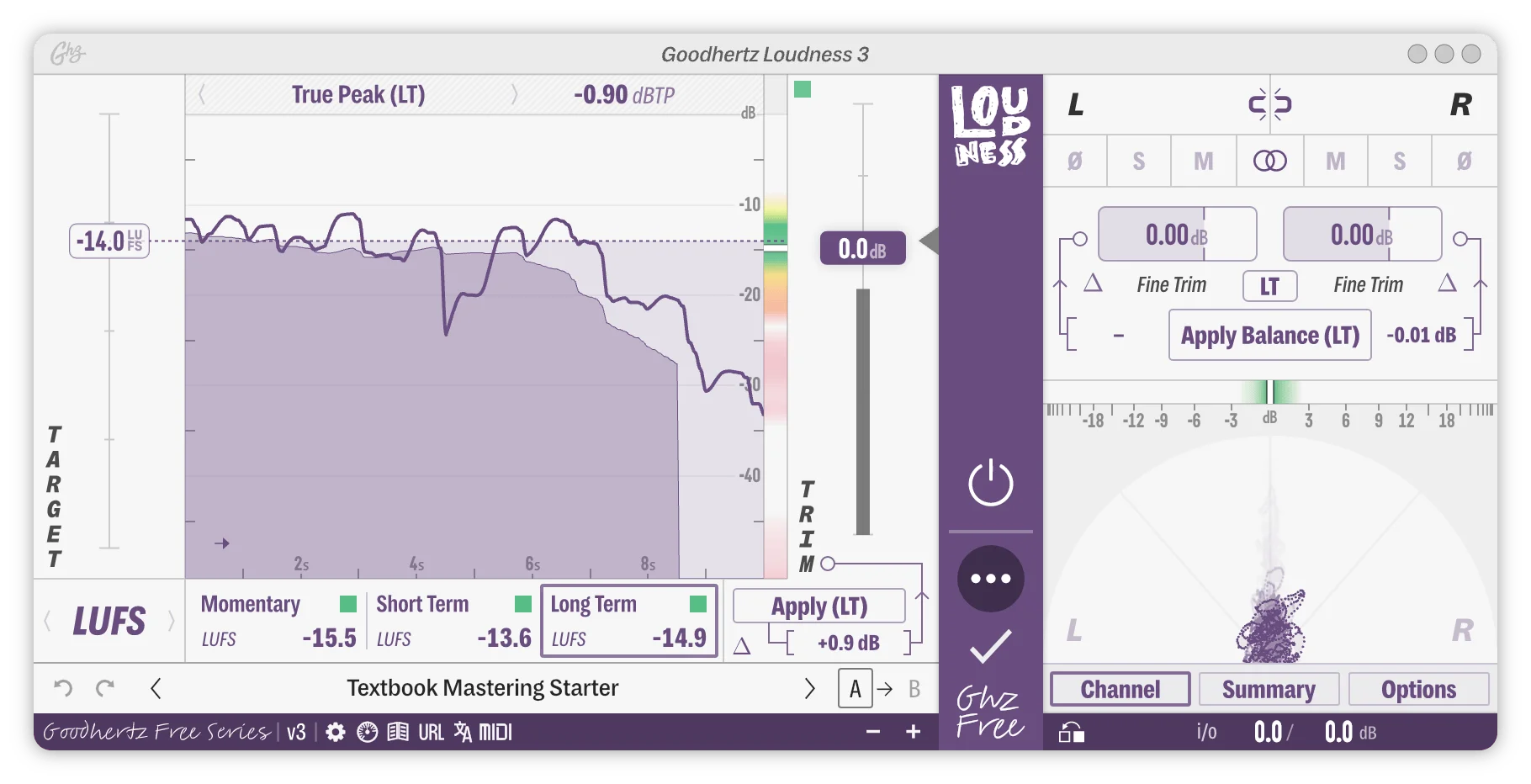
Loudness is a Goodhertz gain-control and metering plugin for making transparent level moves, smoothing automation, and checking delivery targets from one interface. It combines a precise fader with LUFS, RMS, peak, and true-peak views, so a mix engineer can ride a vocal, adjust a bus, or inspect a master without treating those tasks as separate workflows.
Its fader glide controls give upward and downward moves their own timing, which helps turn abrupt automation into gentler transitions. Goodhertz also designs the mute, solo, polarity, and mono-sum functions for clickless operation, making Loudness useful where frequent level or monitoring changes would otherwise interrupt playback.
For target-based work, the Apply command moves the fader to a chosen loudness target, while Apply Balance adjusts left/right fine trim for stereo balance. The three metering windows—Momentary, Short, and Long Term—make it easier to judge a live ride alongside the accumulated level picture.
The advanced panel adds mono sum, solo, mute, polarity, and left/right fine trims rather than limiting the plugin to a single volume control. Loudness is a focused utility for mixers and mastering engineers who want clear level management with delivery-oriented meter readings close at hand.
Frequently Asked Questions
How does Loudness differ from a regular DAW channel fader?
Loudness adds metering, target matching, glide control, and advanced stereo utilities around its gain control. Its purpose is to make level changes and monitoring more deliberate while keeping the controls in one plugin.
What does the Apply command do?
Apply moves Loudness's fader to match the loudness target you have set. Apply Balance is a separate command that adjusts the left and right fine trims to balance the stereo field.
Which loudness views are available?
The plugin includes LUFS, RMS, Peak, and True Peak metering. Its loudness display offers Momentary, Short, and Long Term time windows, while the Summary page gathers the numeric readings together.
Can Loudness smooth abrupt level automation?
Yes. It has independently configurable upward and downward fader glide times, so level moves can be softened without manually drawing every smoothing point.


