Metering Cockpit
Key Features
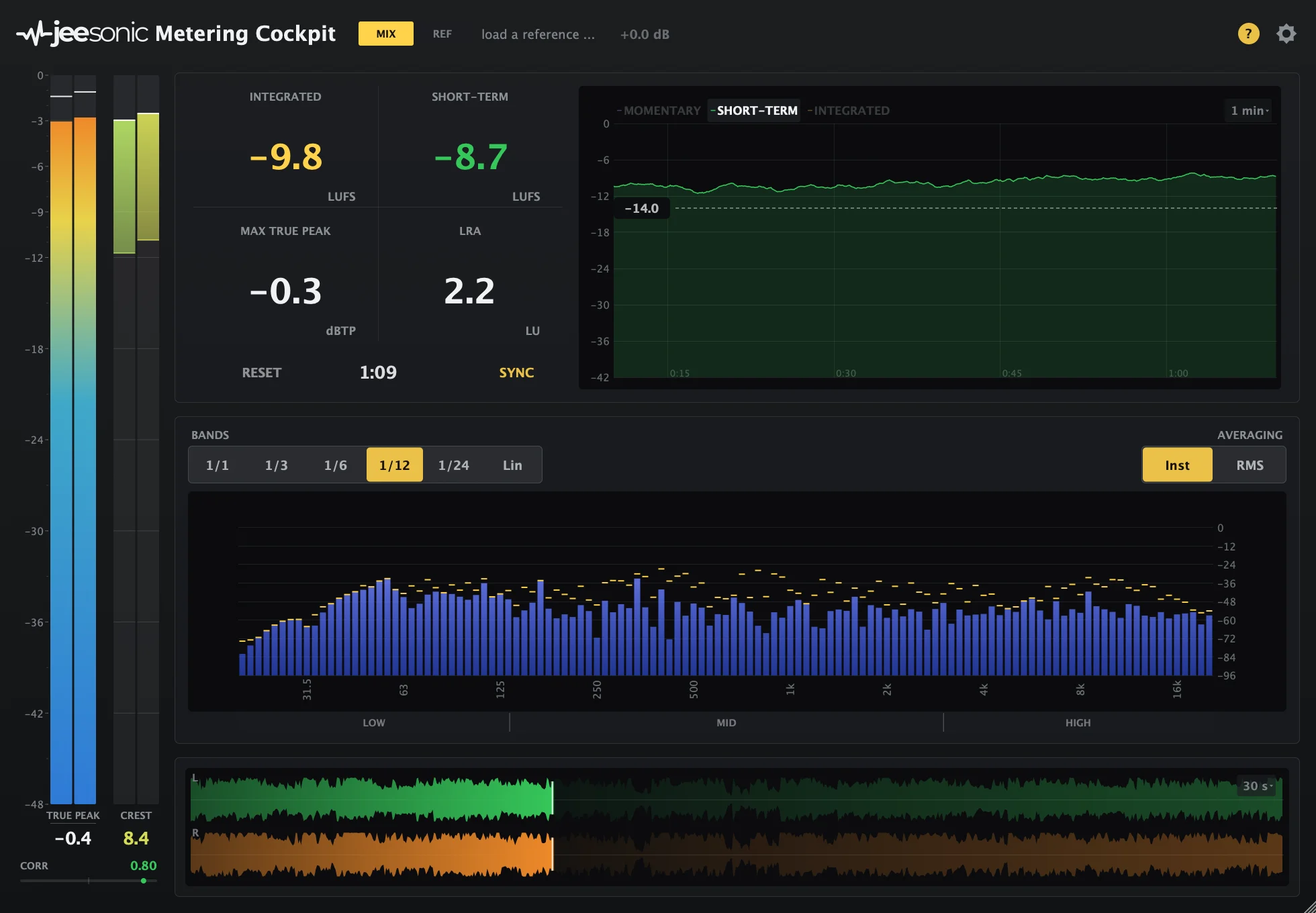
- One-window metering layout combines loudness, peak level, crest factor, spectrum, stereo correlation, waveform, and loudness history
- BS.1770-4 loudness measurement covers momentary, short-term, gated integrated loudness, LRA, and four-times oversampled true peak
- Fractional-octave analyzer moves from broad 1/1-octave balance checks to detailed 1/24-octave or raw FFT views
- Scrolling loudness history spans 15 seconds to 5 minutes and includes a draggable target line
- Reference-file playback supports level-matched A/B checks while the mix and reference stay measured
- Low, mid, high, and single-analyzer-band solo modes help connect visual problem areas to what they sound like
Description
Metering Cockpit is a loudness and analysis plugin from Jeesonic that puts level, dynamics, spectrum, stereo correlation, waveform, and loudness history in one resizable window. It is built for checking mix decisions quickly without opening separate metering, analyzer, and reference tools.
The loudness section follows BS.1770-4 with momentary, short-term, gated integrated loudness, LRA, and true peak measurement. A crest-factor display sits beside the peak columns, so dense or over-compressed material is easier to spot while the session is playing.
Its analyzer can move from broad octave bands to 1/24-octave detail or raw FFT bins, which makes it useful for both tonal-balance checks and narrow resonance hunting. The history view keeps recent loudness visible from 15 seconds to 5 minutes, with a draggable target line for delivery or streaming targets.
Jeesonic also adds practical monitoring aids that make the readouts more actionable. You can compare against a reference file, solo low, mid, or high ranges, or audition one analyzer band while the plugin keeps measuring the full signal.
Frequently Asked Questions
Does Metering Cockpit change the audio?
The official Jeesonic specifications say the plugin passes audio through unchanged unless a band is soloed or the reference is playing. The manual also says offline renders are never touched by those monitoring aids.
Can it compare a mix against a reference track?
Yes. The manual describes reference-file playback that follows the DAW playhead and has its own level control. Metering continues for both the mix and the reference so their loudness values can be compared over the same section.
How detailed is the spectrum analyzer?
Jeesonic lists analyzer modes from 1/1 octave down to 1/24 octave, plus a linear view for raw FFT bins. The product page positions the coarse modes for tonal overview and the narrow modes for finding specific ringing notes or close problem frequencies.
What loudness standards does it measure against?
The developer page states that loudness is measured to BS.1770-4, with loudness range following EBU Tech 3342. The manual lists momentary, short-term, integrated loudness, loudness range, and true peak readouts.