fMeter
Key Features
- Four dedicated meter views for VU balance, PPM peak checks, delivery levels, and loudness over time
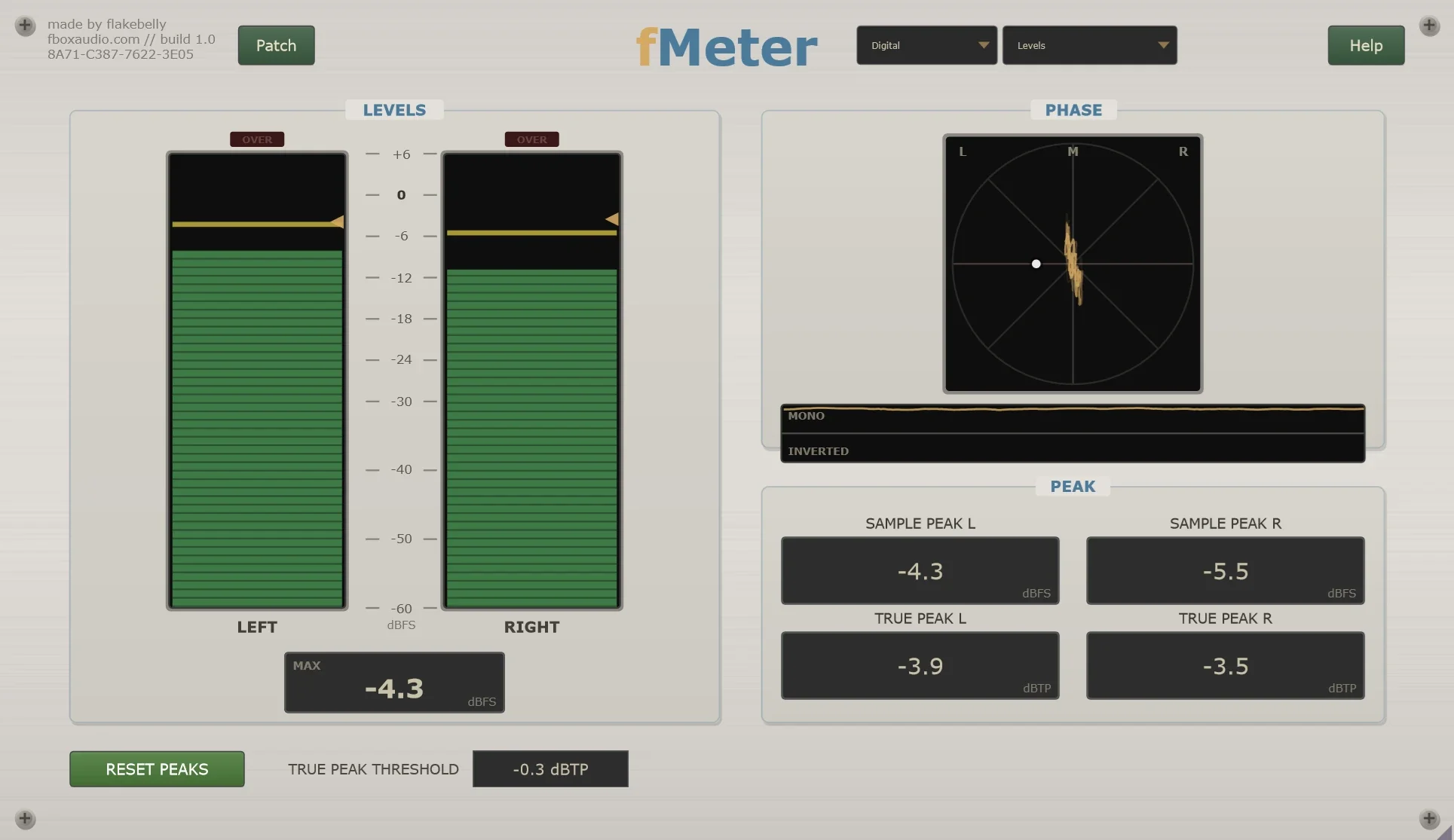
- Levels page combines sample peak, true peak, over indicators, a goniometer, and phase information for final mix checks
- Loudness chart tracks the programme against a chosen target with multiple switchable readouts
- No audio-processing path or added delay, so the plugin can be used strictly for observation in a DAW session
- fMeter Offline scans batches of completed files faster than real time with the same measurement engine
- Offline analysis reads WAV, AIFF, FLAC, Ogg, MP3, and Windows Media and reports loudness, range, peaks, and overs
- Windows VST3 plugin and offline application are supplied together without licence, key, trial period, machine limit, or expiry
Description
fMeter is a Windows VST3 metering plugin paired with fMeter Offline, a companion application for checking finished audio files in batches. It gives producers a compact set of mixing and delivery checks without processing or changing the signal it measures.
Inside a DAW, the plugin separates four practical views: VU for balancing, PPM for quick peak checks, Levels for sample peak, true peak, and phase, and Loudness for a running loudness history and delivery target. The developer says it introduces no delay and has no processed audio path, so it can stay on a channel or master bus strictly as an observer.
fMeter Offline uses the same measurement engine to scan existing WAV, AIFF, FLAC, Ogg, MP3, and Windows Media files without playback. That makes it useful for comparing completed mixes or checking an album for integrated loudness, range, true peak, sample peak, and overs before delivery.
The plugin is VST3 for Windows, while the included offline tool handles batch file analysis outside the DAW. fBox Audio presents it as a permanently available metering utility with no licence, activation, trial period, expiry, or paid edition.
Frequently Asked Questions
Does fMeter change the sound or add latency?
No. fBox Audio says fMeter has no processed audio path and adds no delay, so it is intended to read the signal rather than alter it. Its developer also states that rendering through it leaves the file unchanged.
What does the fMeter plugin measure?
The DAW plugin has VU and PPM needle views, plus a Levels view for sample peak, true peak, and phase. Its Loudness view draws loudness over time and shows readouts for delivery-oriented monitoring.
What is fMeter Offline for?
fMeter Offline checks finished audio files outside a DAW and can process batches without playing them in real time. It reads WAV, AIFF, FLAC, Ogg, MP3, and Windows Media files and reports integrated loudness, range, true peak, sample peak, and overs.
Can fMeter be used on macOS or in AU and AAX hosts?
Not currently. fBox Audio lists fMeter as a Windows VST3 plugin; its system-requirements page says macOS VST3, AU, and Pro Tools AAX support are planned for later.