Arturia Analog Lab Play
Key Features
- Includes 100 curated presets drawn from Arturia V Collection instruments and Pigments.
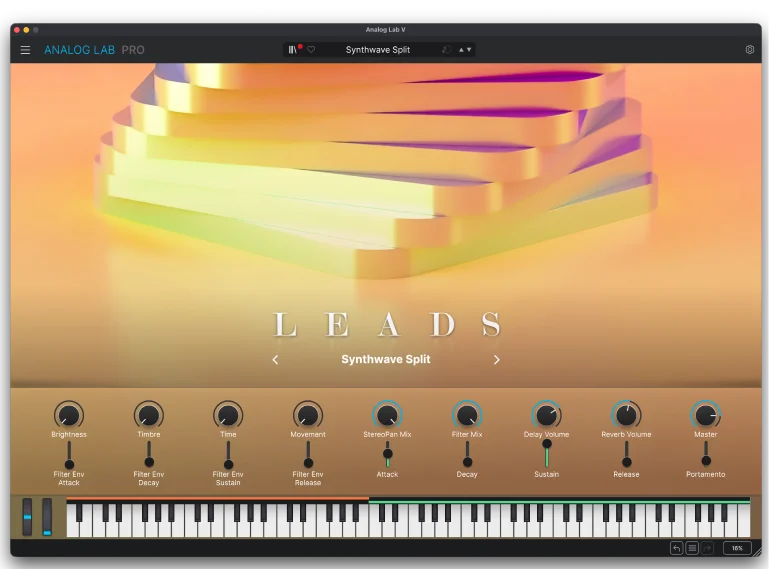
- Uses a simplified Play View for fast preset selection and immediate sound shaping.
- Provides four performance macros for Brightness, Timbre, Time, and Movement on every preset.
- Adds modulation, delay, and reverb effects without requiring deep instrument editing.
- Filters the browser by sound type and instrument to speed up preset discovery.
- Supports automatic mappings for Arturia keyboards and manual mapping for other MIDI controllers.
- Runs standalone or in VST, VST3, AAX, and Audio Unit hosts on Windows and macOS.
Description
Analog Lab Play is Arturia’s streamlined virtual instrument for getting polished keyboard, synth, bass, pad, and other preset sounds into a session quickly. It offers 100 curated presets from Arturia’s V Collection instruments and Pigments in a simplified Play View, rather than the full browsing and editing depth of Analog Lab Pro.
Each preset is built around four macro controls—Brightness, Timbre, Time, and Movement—plus modulation, delay, and reverb effects. That keeps the workflow focused on choosing a sound and shaping its immediate character instead of opening a separate synth engine.
The updated browser filters presets by instrument and sound type, so it suits writers and producers who need a usable starting point for a part without committing to deep synthesis. Arturia also includes access to its Sound Store and automatic parameter mapping for its own keyboards, while other MIDI controllers can be mapped manually.
Analog Lab Play runs as a standalone application or plug-in on current Windows and macOS systems. Download and activation are handled through Arturia Software Center after signing in or creating an Arturia account.
Video Preview

Frequently Asked Questions
What is Analog Lab Play?
Analog Lab Play is Arturia’s streamlined preset-playing instrument. It includes 100 curated sounds from V Collection instruments and Pigments, with a simpler interface than the paid Analog Lab editions.
Can I edit sounds in Analog Lab Play?
You can shape each preset with Brightness, Timbre, Time, and Movement macros, along with modulation, delay, and reverb effects. The Play edition does not include the deeper preset and instrument-editing workflow shown for the higher Analog Lab editions.
How do I get and activate Analog Lab Play?
Arturia’s product page starts the download flow, and its activation guidance says the software prompts you to sign in with an Arturia account or create one. Arturia Software Center is used to install, activate, and update its software instruments.
What systems and plug-in formats does Analog Lab Play support?
Arturia lists Windows 10+ and macOS 11+ specifications. The developer also lists standalone, VST, VST3, AAX, and Audio Unit operation.