

TX16Wx Software Sampler
Key Features
- Hardware-inspired sampler workflow focused on creating and editing your own instruments
- Integrated browser with audio preview and support for common sample and preset formats
- Mapping editor for groups, regions, crossfades, drag-and-drop edits, and automatic layouts
- Wave editor with loop tools, realtime crossfades, DSP operations, and interactive slicing
- Per-voice filters, envelopes, LFOs, step sequencers, and a flexible modulation matrix
- Disk-streaming playback engine, full undo support, resizable UI, and modern plug-in formats
Description
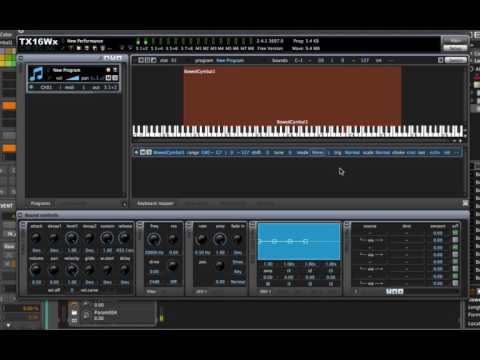
TX16Wx Software Sampler is a full sampler instrument for producers who want to build, map, edit, and perform their own sampled sounds inside a DAW. It is modeled after classic hardware samplers, but adds a resizable software interface, deep modulation, disk streaming, and modern plug-in formats.
The workflow is strongest when you are turning raw WAV, AIFF, Ogg, FLAC, SoundFont, SFZ, Akai, EXS, or Yamaha material into playable instruments. Its browser can preview source material, the mapping editor handles groups and regions, and the wave editor adds looping, slicing, crossfades, and automatic keyboard layout.
TX16Wx goes further than a simple sample player with dual filters, envelopes, LFOs, step sequencers, a modulation matrix, arpeggiator tools, insert/send effects, and sample recording from DAW inputs or internal buses where the host supports it. That makes it useful for both traditional multisamples and more experimental sample-based synthesis.
The current 3.7.0s release adds the newer cross-platform direction, including Linux support and CLAP alongside Mac and Windows builds. There is also a paid Professional mode in the same binary, but the standard TX16Wx page and download area still present the base sampler as permanently free with no catch or limitation.
Video Preview

Frequently Asked Questions
Is TX16Wx a standalone sampler or a DAW plug-in?
TX16Wx is a plug-in sampler meant to run inside compatible hosts. The current listings identify it as a virtual instrument plug-in for formats including VST, VST3, AU, AAX, and CLAP depending on platform.
What kind of samples can TX16Wx load?
The official feature list says it reads WAV, AIFF, Ogg, FLAC, and Yamaha waves. KVR also lists AIFC, Akai, EXS24, REX/REX2, SoundFont, sfz, and Typhoon compressed audio among its load/save sample formats.
What is the difference between TX16Wx and TX16Wx Professional?
The download page says TX16Wx and TX16Wx Professional use the same binary, with the execution mode determining which features are available. The standard sampler remains the permanently free version, while Professional unlocks additional features such as time-stretch and pitch-shift modes.


