
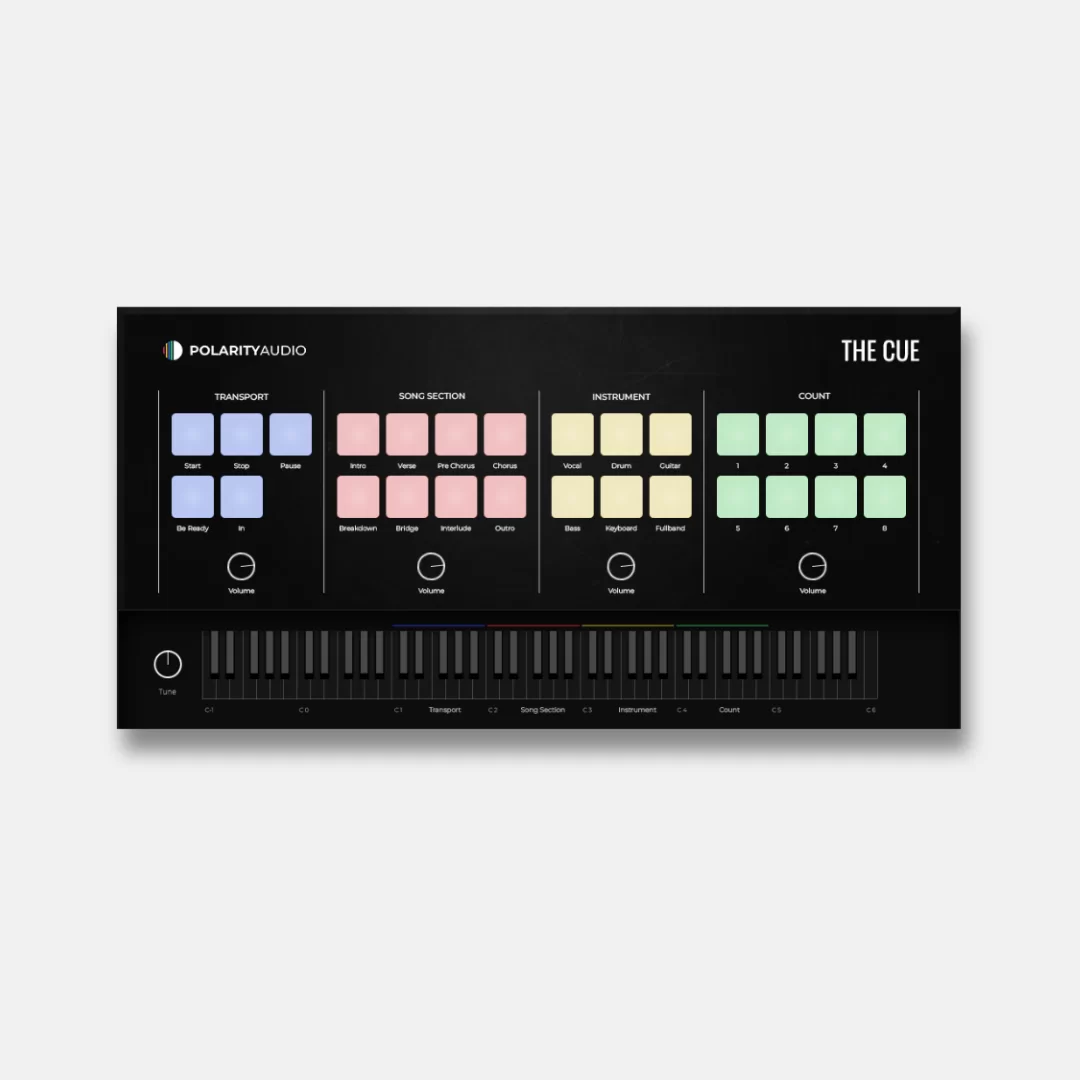
The Cue
Key Features
- Creates performance cues as a dedicated VST instrument inside a DAW session.
- Uses a MIDI-block drawing workflow to lay out cue sections quickly.
- Lets you organize multiple cue sections within a sequence.
- Provides individual balance control for each section.
- Includes voice samples intended for clear audible calls during a performance.
- Supports VST3 on Windows and VST3 or Audio Units on macOS.
Description
The Cue is a VST instrument for placing spoken performance cues inside a DAW sequence, so a band or production team can hear timely prompts during a live set. Rather than programming a musical part, you draw MIDI blocks to organize the cue sections and keep performers aligned with the arrangement.
Polarity Audio positions it as a simple, immediate utility: each cue section can be balanced independently, which helps separate prompts for different parts of a performance. Its included high-quality voice samples are intended to make the calls clear in a monitoring mix.
The Cue is best treated as a focused guide-track tool for sessions that need section calls, transitions, or other audible direction while the sequence runs. It is not a full live-show host or playback system, so users still rely on their DAW for transport, audio routing, and the rest of the performance setup.
The current Polarity Audio product page lists The Cue at Rp 0 and provides its own add-to-cart flow. The plug-in is available for Windows and macOS in the formats shown on that page.
Frequently Asked Questions
What does The Cue do?
The Cue is a VST instrument for making spoken or signal-style cues in a DAW sequence. It is aimed at keeping band members or other performers aligned during a live arrangement.
How are cues arranged in The Cue?
Polarity Audio describes the workflow as drawing MIDI blocks, then organizing the resulting cue sections in the sequence. Each section has its own balance control, so the levels can be adjusted independently.
Is The Cue a full live-performance host?
No. The developer presents it as a focused cue utility plug-in rather than a complete playback or show-control application. Your DAW remains responsible for transport, routing, and the surrounding live-session workflow.
Which plug-in formats does The Cue support?
The official page lists VST3 64-bit for Windows, plus VST3 and Audio Units for Mac. Check the developer page before installing in case the current build or compatibility details change.


