
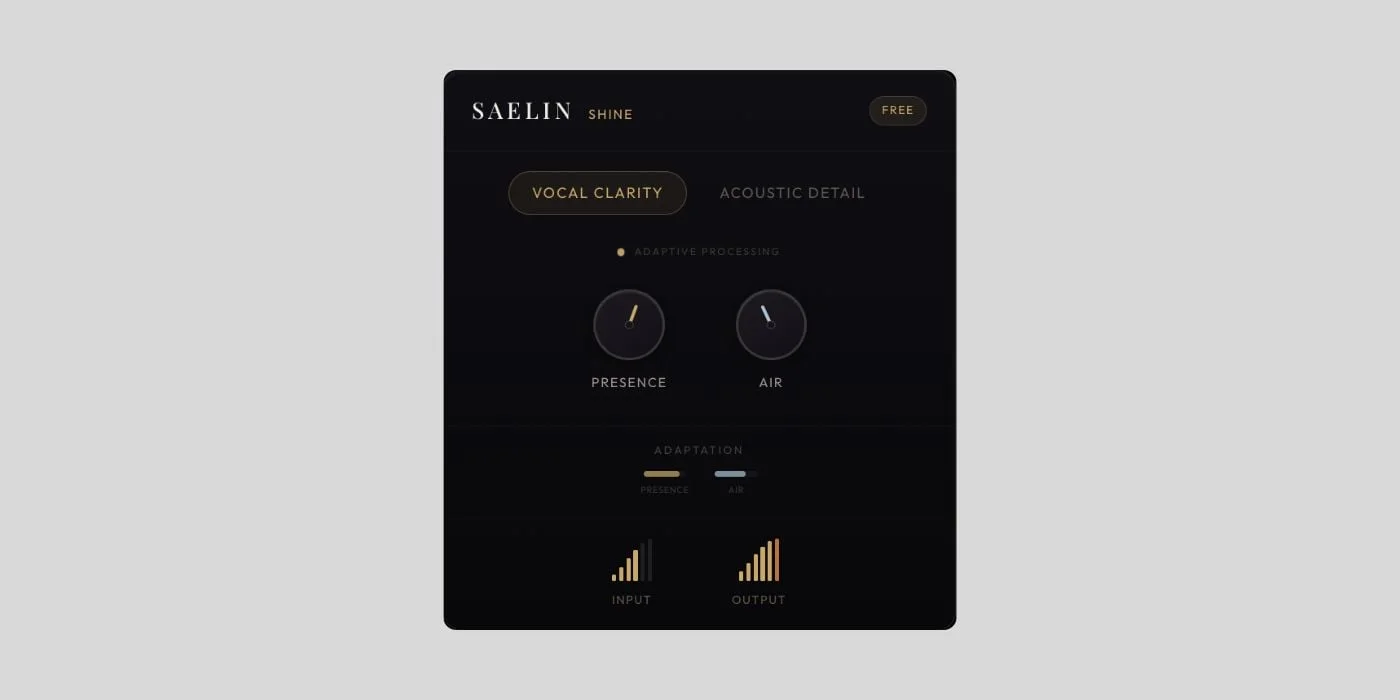
Shine
Key Features
- Adaptive presence-and-air processing reacts to changing performance dynamics in real time instead of locking you to one static top-end curve.
- Built specifically around vocals and acoustic guitar, with the product messaging centered on vocal lift, pick attack, and string-detail recovery in home recordings.
- Insert-and-record workflow keeps setup minimal, so self-recording artists can skip building a separate EQ, de-essing, and automation chain just to get usable takes.
- Designed to help quiet passages come forward while louder sections stay more controlled, which makes inconsistent home-studio performances feel more finished sooner.
- Focused interface and narrow use-case keep the plugin approachable for singer-songwriters and indie musicians who want results without engineering-heavy menus.
- Acts as the free entry point into Saelin's wider adaptive recording concept, giving users a simplified way to try the company's performance-aware tone shaping.
Description
Shine is a free adaptive clarity plugin from Saelin Audio for vocals and acoustic guitar that automatically shifts presence and air as you perform. Rather than parking one static EQ curve across the whole take, it aims to keep home recordings forward, clear, and mix-ready without manual automation.
The official Shine page keeps the workflow deliberately narrow: insert it, record, and let the adaptive engine react in real time. That positioning matches the broader Saelin system, which is framed around performance-aware processing that responds to changing delivery instead of forcing you to stack EQ, de-essing, and other fixes afterward.
In practice, Shine looks best suited to singer-songwriters and solo producers who record themselves and want faster results on voice or acoustic parts. The tradeoff is that it is intentionally not a deep channel strip, so if you need surgical cleanup, multi-stage vocal shaping, or Windows support today, this is more of a focused tone-finishing layer than a full corrective suite.
As checked on April 27, 2026, the official Shine page still labels it a Free Plugin and explicitly says it is free forever with no trial or catch, while the installer is delivered by email signup instead of a public archive. The unattended-safe call is to keep SSA's button external, because the product appears to be a standing freeware release but the actual download remains email-gated.
Frequently Asked Questions
Is Shine only meant for vocals?
No. Saelin and the BPB launch coverage both position Shine for vocals and acoustic guitar. The product language focuses on vocal presence and air, but it also calls out pick attack and string definition on acoustic recordings.
Do you use Shine while recording or only after the take?
Saelin says the broader system is designed to be part of the recording chain, and BPB describes Shine as something you can insert and record through immediately. You can also run existing takes through it later, but the workflow is clearly aimed at improving the signal as the performance happens.
Do you still need an EQ or de-essing chain around Shine?
Often less than usual, which is the whole pitch. Shine is presented as a fast adaptive layer for presence and clarity, but you may still want extra processing later if a mix needs surgical cleanup or more stylized vocal shaping.
Does Shine work on Windows right now?
Not according to the current official Saelin site. As checked on April 27, 2026, Saelin says its plugin system is macOS-only on Big Sur 11 or later and that Windows support is on the roadmap rather than shipping now.
How do you get the Shine download today?
You enter your email on the official Shine page and Saelin sends the download link. The current page also says the plugin is free forever with no trial or catch, but SSA should still keep the button external because the installer is delivered through that signup flow.


