
MAIM


Key Features
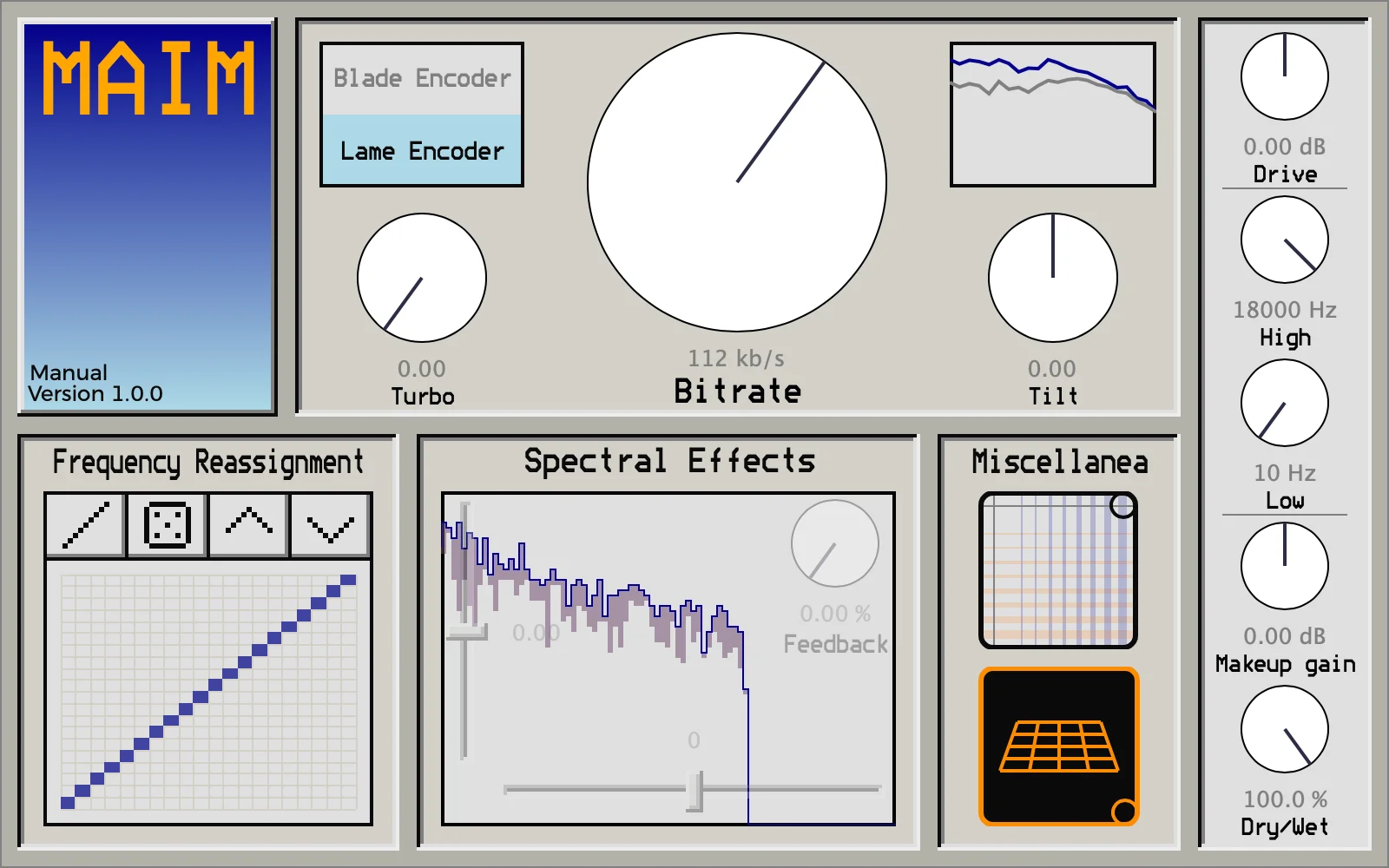
- Processes audio through two real MP3 encoders plus the Opus encoder introduced in version 1.1.
- Offers LAME for a smoother, high-frequency-reduced character and Blade for rougher, more transient-worn results.
- Uses Bitrate, Turbo, and Tilt controls to steer compression intensity and spectral priority.
- Includes a frequency-reassignment matrix with reset, randomize, and shift functions for radical spectral rerouting.
- Adds horizontal and vertical spectral shifts plus frame-to-frame feedback for moved, noisy, chirping, and resonant effects.
- Provides Drive, post-encoder high- and low-cut filters, Makeup Gain, and a latency-corrected Dry/Wet mix.
- Supports AU and VST3 on macOS, and VST3 on Windows and Linux.
Description
MAIM is a creative audio effect that runs real MP3 and Opus encoders in real time, turning low-bitrate compression artifacts into a controllable distortion and glitch processor. It moves beyond ordinary bit reduction by letting you work with the blurred highs, altered transients, spectral fizz, and unpredictable breakage associated with damaged lossy encoding.
Two MP3 engines give the effect distinct starting points: LAME is the smoother option, while Blade is rougher and more transient-worn. Bitrate, Turbo, and Tilt then change how hard the signal is encoded and which end of the spectrum the encoder favors, allowing anything from restrained low-fidelity color to more overt codec damage.
MAIM can go far beyond a static MP3 treatment. Its frequency-reassignment matrix can reroute spectral bands, while horizontal and vertical spectral shifts plus frame feedback create moved, noisy, chirping, or resonant results that are well suited to experimental resampling and transitions.
Drive, post-encoder high- and low-cut filters, makeup gain, and a latency-corrected Dry/Wet mix make the effect easier to place in a session. The maintained v1.1.1 release supports AU and VST3 on macOS, VST3 on Windows, and VST3 on Linux; version 1.1 added the Opus encoder alongside the two MP3 choices.
Frequently Asked Questions
How is MAIM different from a normal bitcrusher?
A bitcrusher primarily reduces bit depth or sample rate. MAIM processes sound through real MP3 and Opus encoders, so its artifacts arise from lossy-codec behavior and can be pushed further with encoder-specific circuit-bending and spectral controls.
What is the difference between LAME and Blade in MAIM?
LAME is described by the developer as the more controlled encoder and increasingly rolls off high frequencies at lower bitrates. Blade has a rougher, bubblier character and washes out transients more strongly.
Can MAIM produce effects beyond low-bitrate MP3 coloration?
Yes. The frequency-reassignment matrix, spectral shifts, feedback, and circuit-bent controls can make the processing much more extreme than a conventional codec simulation. They are particularly useful for rearranged spectra, buzzing resonance, and deliberate digital breakdown.
Which systems and plugin formats does MAIM support?
The maintained release provides AU and VST3 for macOS, VST3 for Windows, and VST3 for Linux. The developer's installation notes say Linux users copy the included Maim.vst3 bundle to their VST3 plug-in folder.


