
BlindCard
Key Features
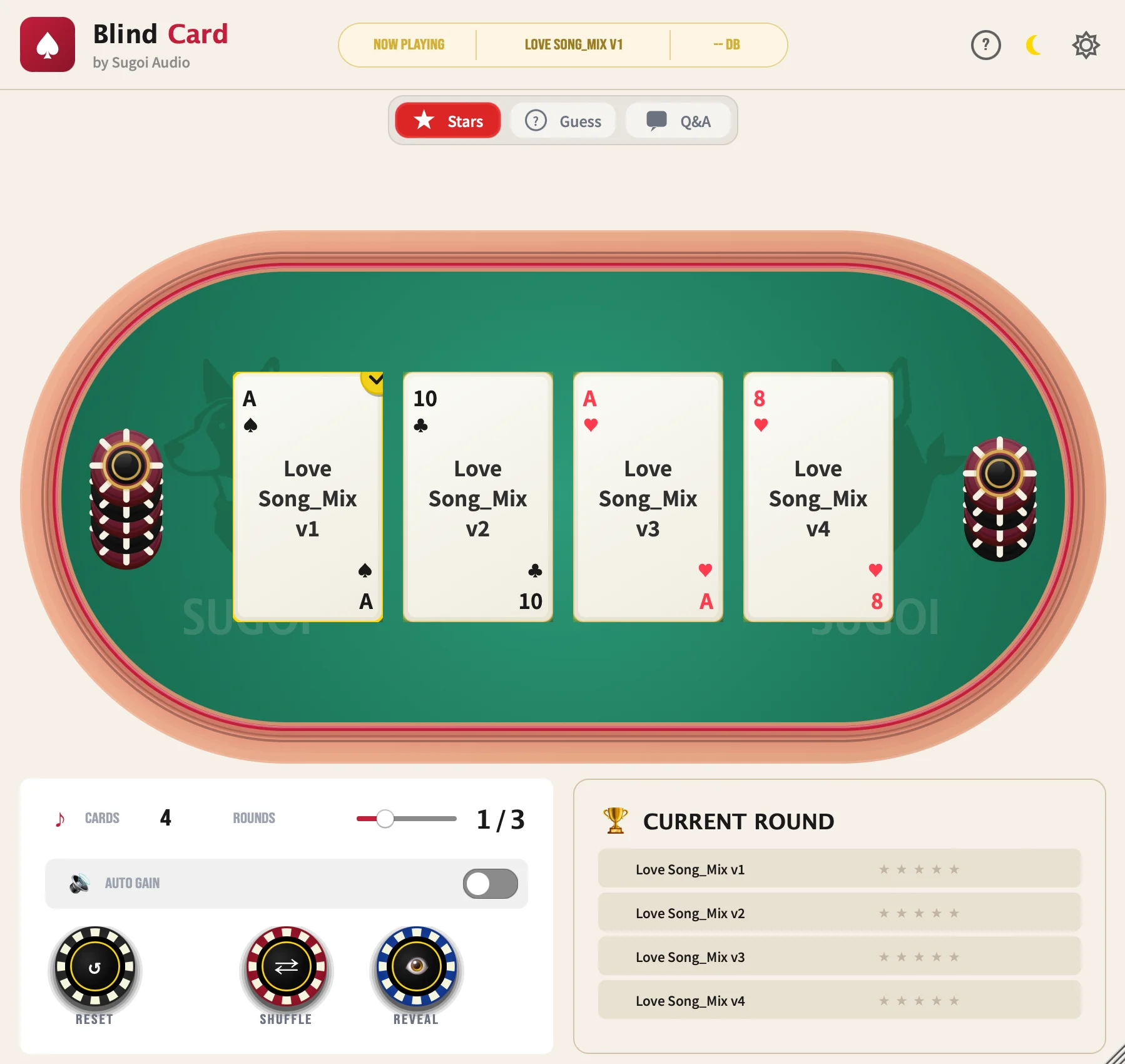
- Poker-card blind comparison workflow hides track or plugin identities so users can make decisions by ear instead of by label.
- DAW plugin mode supports 2 to 8 synchronized BlindCard instances for comparing tracks, plugin chains, alternate mixes, or masters in context.
- Standalone app mode loads WAV, MP3, and AIFF files for quick file-based comparisons without opening a DAW session.
- Automatic LUFS level matching helps reduce loudness bias when switching between cards during critical listening.
- Star rating, guess mode, Q&A quiz mode, multi-round testing, and results history turn repeat listening into a structured decision process.
- Dark and light themes, multi-language support, and a resizable visual card interface keep the utility usable in longer mix sessions.
- Open-source AGPL-3.0 project with current v1.0.4 installers for macOS Apple Silicon, macOS Intel, and Windows x64.
Description
BlindCard by Sugoi Audio is a blind listening test utility for comparing tracks, plugin chains, masters, or audio files without knowing which source is playing. It runs as an AU/VST3 effect inside a DAW and also includes a standalone app for drag-and-drop file comparisons.
The workflow turns each source into a poker-style card, then shuffles the cards so visual labels and brand assumptions stay out of the decision. Multiple plugin instances sync together, letting users compare 2 to 8 tracks while still using the DAW transport normally.
BlindCard adds practical safeguards that matter during A/B testing, including LUFS-based automatic level matching, star rating, guess mode, Q&A quiz mode, multi-round testing, and a results panel. The standalone mode supports WAV, MP3, and AIFF files for quick comparisons outside a DAW.
Sugoi Audio lists BlindCard as 100% free and open source under the AGPL-3.0 license, with no trials, limitations, or sign-up required. AirCheck from the same lead was not added because the official page identifies it as a paid product with a demo mode.
Frequently Asked Questions
How does BlindCard reduce bias during A/B tests?
BlindCard replaces visible source names with shuffled poker cards, so the listener does not know which track, plugin chain, or master is currently playing. The source identities can be revealed after rating or guessing, which makes the comparison less dependent on brand or preset expectations.
Can BlindCard compare more than two sources?
Yes. The official workflow supports 2 to 8 cards, which makes it useful for comparing several plugin settings, mix revisions, or master versions in one test instead of only switching between A and B.
Does BlindCard work without a DAW?
Yes. The standalone application can load WAV, MP3, and AIFF files for direct file comparison, while the plugin version is intended for synchronized comparisons across multiple tracks inside a DAW.
What does the automatic level matching do?
BlindCard measures loudness using LUFS and applies gain compensation so louder sources are less likely to win just because of volume. This is especially useful when comparing processing chains, masters, or references with different apparent loudness.


